5 AWS Services Every Developer Should Know
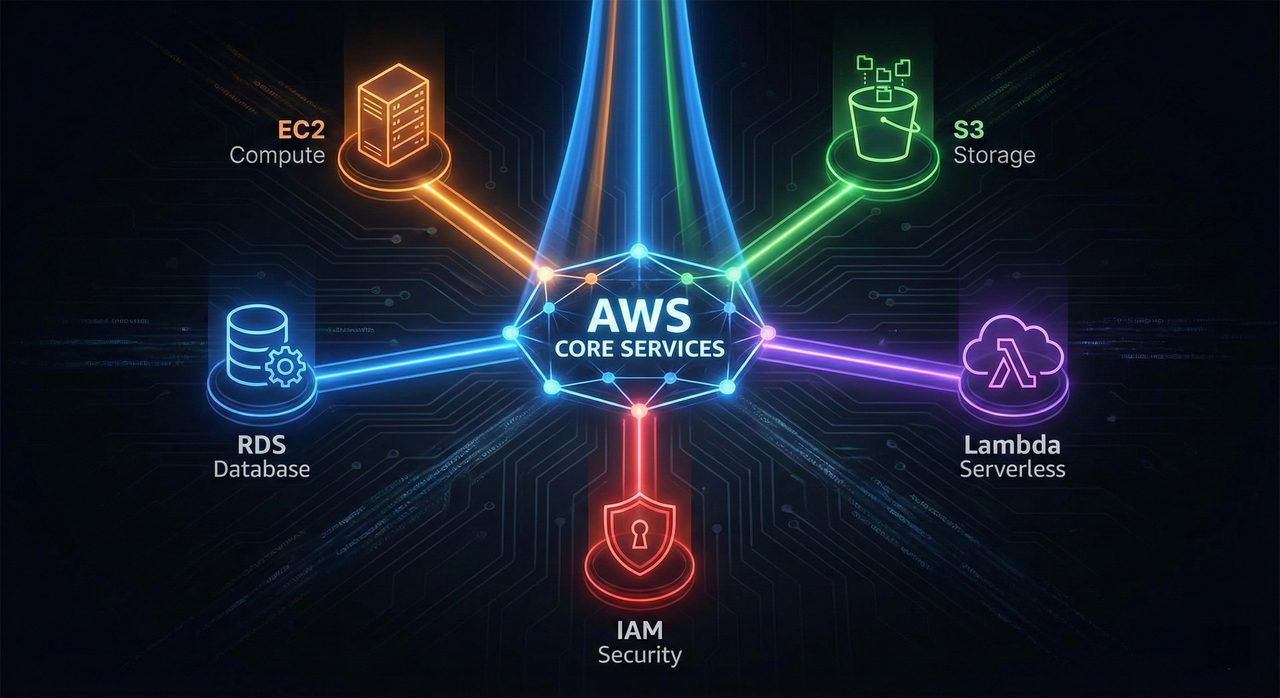
The AWS console contains over 200 services, which can be paralyzed for a developer. However, the Pareto Principle applies here: mastering these five core building blocks allows you to architect 90% of modern cloud applications.
⚙️ At a Glance: The Toolkit
Amazon EC2
ComputeVirtual servers in the cloud. You manage the OS, the runtime, and the scaling logic.
Amazon S3
StorageInfinite object storage. The standard for storing assets, logs, and backups.
Amazon RDS
DatabaseManaged SQL databases. Removes the headache of patching and backups.
AWS Lambda
ServerlessEvent-driven functions. Run code without provisioning any infrastructure.
AWS IAM
SecurityIdentity and Access Management. The gatekeeper for who can do what.
Amazon EC2 (Elastic Compute Cloud)
EC2 is the bread and butter of AWS. It provides raw compute power. While serverless is trendy, EC2 is still the correct choice for long-running processes, legacy application migrations, or workloads that require specific kernel configurations.
Key Developer Concept: Security Groups
Think of Security Groups as a virtual firewall at the instance level. Unlike standard network ACLs, Security Groups are stateful. If you allow an inbound request on port 80, the outbound response is automatically allowed.
resource "aws_instance" "app_server" {
  ami           = "ami-0c55b159cbfafe1f0" // Amazon Linux 2
  instance_type = "t3.micro"              // Cheap, burstable performance

  tags = {
    Name = "DevEnvironment"
  }
}
Amazon S3 (Simple Storage Service)
S3 is more than just a file folder in the sky; it's a foundational component for web hosting, data lakes, and backup strategies. Developers often miss the power of Lifecycle Policies, which can automatically move data to cheaper storage tiers (like Glacier) as it ages.
💡 Pro Tip: Pre-Signed URLs
Never upload files to your backend server just to send them to S3. Instead, generate a "Pre-Signed URL" on your backend and let the frontend upload directly to S3. This saves bandwidth and compute on your EC2/Lambda layer.
AWS Lambda
Lambda changed the paradigm from "running servers" to "running functions." It is event-driven, meaning it only runs when triggered (by an HTTP request, a file upload to S3, or a database change).
The biggest "gotcha" for developers is the Cold Start. If your function hasn't run in a while, AWS has to provision a micro-container for it, adding latency. Keep functions small and dependencies light to mitigate this.
export const handler = async (event) => {
  // Event contains details about the uploaded file
  const bucket = event.Records[0].s3.bucket.name;
  const key = decodeURIComponent(event.Records[0].s3.object.key.replace(/\+/g, ' '));

  try {
    console.log(`Processing file: ${key} from bucket: ${bucket}`);
    // Logic: Resize image, parse CSV, etc.
    return { statusCode: 200, body: 'Success' };
  } catch (err) {
    console.log(err);
    return { statusCode: 500, body: 'Error' };
  }
};
AWS IAM (Identity Access Management)
IAM is often the most confusing service for developers, but it is the most critical. It controls authentication (who you are) and authorization (what you can do).
- Users: Actual humans or permanent service accounts (avoid using these for apps).
- Roles: Temporary hats that services (like EC2 or Lambda) can put on to gain permissions.
- Policies: JSON documents defining the permissions.
{
  "Version": "2012-10-17",
  "Statement": [
    {
      "Effect": "Allow",
      "Action": [
        "s3:GetObject",
        "s3:ListBucket"
      ],
      "Resource": [
        "arn:aws:s3:::my-production-bucket",
        "arn:aws:s3:::my-production-bucket/*"
      ]
    }
  ]
}